 SalesTeam
Your next customers are already on LinkedIn. Find them first.
SalesTeam turns LinkedIn and your own research into a prioritized pipeline: it discovers your target accounts and contacts, enriches them with business data, and tells you who to approach first. Every search is one you start, in a browser tab you can see, and your data stays on your device.
Free during early access · Works in Google Chrome · No account, no sign-up
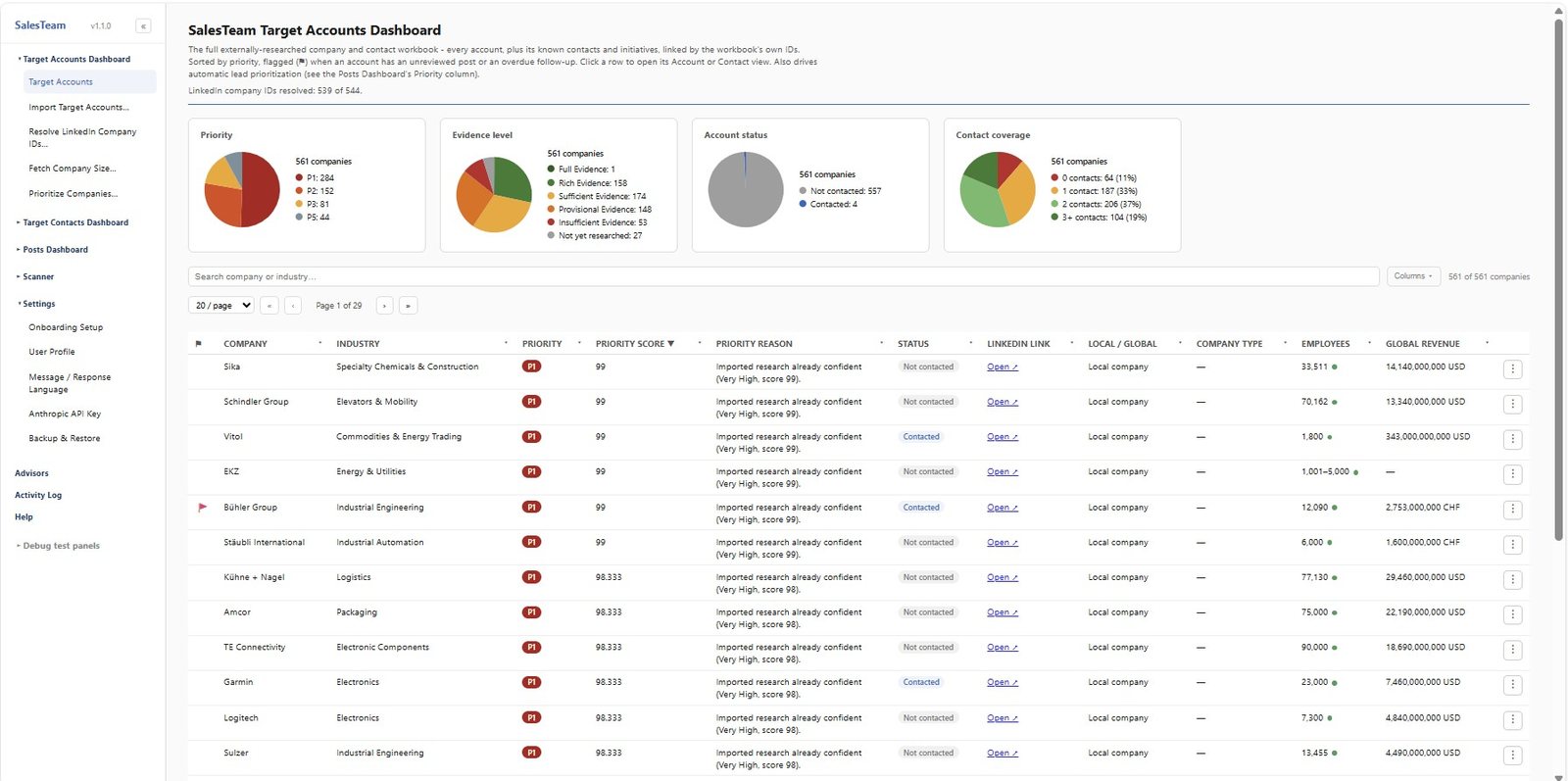
From a target profile to a ranked pipeline
Three steps, all inside your own browser.
Define who you sell to
Describe your ideal customer once: industries, size, countries. Import your own research spreadsheet, or let SalesTeam discover companies and contacts on LinkedIn for you.
Enrich and prioritize
Add revenue, employees, headquarters, registry data and recent initiatives from public web sources. Every account gets a P1 to P5 priority, with the reason shown.
Act on the right signals
Scan LinkedIn posts and job listings for buying signals at your target accounts, then let the AI assistants score leads and draft messages you review and send yourself.
Everything a small sales team needs, in one extension
Discover target accounts
Build your universe of companies and decision makers from your ideal customer profile, your own workbook or LinkedIn discovery.
Enrich with business data
Revenue, employees, headquarters, official registry data and initiatives, researched from the public web with sources you can check.
AI assistants
A Sales Mentor for strategy, a Customer Voice to pressure-test your message, and AI-drafted openers. Bring your own Anthropic key.
Signal scanning
Search LinkedIn posts and jobs across all your topics at once, with noise such as recruiters and competitors filtered out automatically.
Built to be careful
You start every scan, every search happens on screen, and a built-in daily limit keeps activity modest. There are no scheduled or hidden runs.
Fits your stack
Import and export HubSpot files, work with Excel and CSV, back everything up to your own computer. No server, no lock-in.
Know who to call first, and why
Every account is scored P1 to P5 from your own criteria and the evidence found, and the reason is written next to it. Charts show your pipeline by priority, evidence level, status and contact coverage at a glance.
- Scores from your ideal customer profile, not generic lead scoring
- Evidence level shows how well an account is researched
- Flags when a target account posts or a follow-up is due

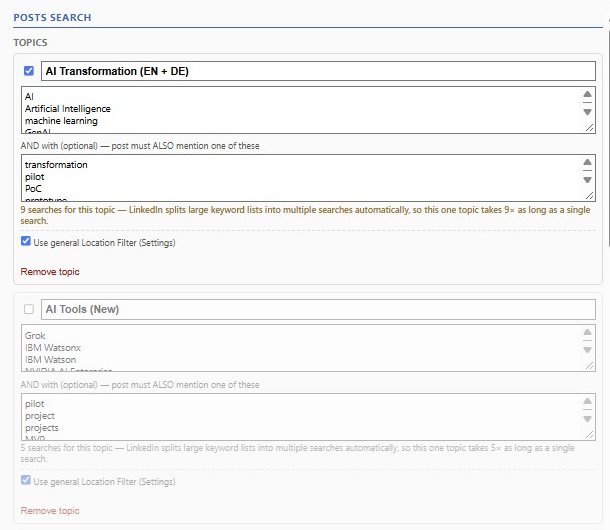
Search once for every topic that matters
Define keyword groups for the problems you solve, and run all of them across LinkedIn posts and job listings in a single scan, scoped to your target accounts. Recruiters, staffing firms and competitors are filtered out for you.
- Merged, de-duplicated and ranked results
- Hiring and buying signals shown on every lead
- Negative topics keep the noise out
An assistant that knows your accounts
Ask the Sales Mentor which lead to approach first, let Customer Voice play a realistic buyer so you can test your message, and get opening messages drafted for you. Nothing is ever sent for you.
- Uses your own Anthropic API key, so you control the cost
- Looks up your real lead data only when a question needs it
- Optional: every core feature works without AI
Designed for personal use, with care
SalesTeam works the way a person uses these sites. It is aware of the limits that platforms such as LinkedIn place on data collection, and it is built for your own personal use of the data.
- Every scan starts with your click, and every search or page visit is visible in your browser
- No scheduled scans and no mass page collection
- A built-in daily limit on searches and page visits
- No server of ours: your data is stored in your browser and never resold or shared
- SalesTeam never sends messages on your behalf
Visible
You see every tab it opens.
Paced
A daily limit keeps activity modest.
Private
Data stays on your device.
In your control
Nothing runs unless you start it.
Start finding your next customers
Free during early access. Installs in a minute. Your data stays in your browser.